
Accounts payable automation within a Sage environment refers to software-managed processes that reduce manual handling of supplier invoices and related payments. The concept centers on transforming paper or emailed invoices into structured digital records, applying predefined business rules, and routing documents through approval steps. Automation components commonly include capture technologies, validation checks, workflow orchestration, and transactional posting to the general ledger. The aim is to streamline routine processing while preserving an audit trail and supporting controls for spend verification and compliance.
In practice, these systems may combine optical character recognition (OCR) or machine learning for data capture, configurable routing for approvers, and rules for matching invoices to purchase orders and receipts. They typically produce reports that assist with cashflow planning and month-end reconciliation. Integration points are important: automated solutions often connect to financial ledgers, supplier master records, and banking interfaces so that invoice status, payment runs, and ledger entries remain synchronized.
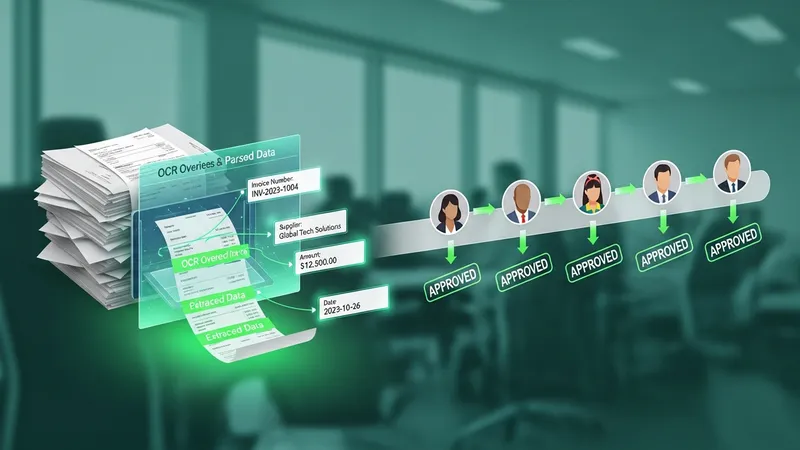
Invoice capture and extraction tools may vary in accuracy depending on document variability and language patterns; some implementations use supplemental validation rules or human review for high-exception volumes. When integrated with a Sage ledger, capture can populate supplier, date, amounts, and tax fields that later feed matching and approval steps. Accuracy on initial extraction often reduces manual correction, but projects typically plan for iterative tuning of parsing rules and template libraries to improve throughput.
Approval workflows can be designed around departmental roles, spend thresholds, and segregation-of-duties requirements. Workflows may include conditional branches where high-value or nonconforming invoices follow a different path than low-value routine ones. Auditability is typically improved because each action—submission, approval, rejection, or comment—is logged with timestamp and actor identity. Organizations often adopt configurable workflows that can be changed without code-level modification to reflect evolving policy.
Purchase order matching commonly uses two-way (invoice to PO) or three-way (invoice to PO and receipt) comparisons. Rules define allowable tolerances for quantity and price differences; invoices within tolerance may auto-approve while exceptions route to a human reviewer. Exception handling strategies often balance reducing manual work with preserving control: common practices include automatic suggestion of matching documents, supplier inquiry notes, and exception aging reports to track unresolved items.
Integration with payment processing and the general ledger typically involves mapping invoice, payment, and tax fields to ledger accounts, posting automated journal entries, and exporting payment files for banking systems. Payment automation may support different payment types and file formats and often includes a staging area for review before release. Reconciliation workflows may leverage remittance data and bank statements to close open items and update cash forecasts, with reporting that may inform working capital management.
Overall, the concept emphasizes reducing manual touchpoints while maintaining control, traceability, and integration with core financial systems. Implementation timelines and configuration needs can vary with invoice volume, supplier diversity, and existing system architecture; initial pilots often focus on high-volume, low-complexity suppliers to demonstrate process stability. The next sections examine practical components and considerations in more detail.
Feature categories for accounts payable automation typically include capture and validation, routing and approvals, matching and exceptions, payment orchestration, and reporting. Capture and validation convert incoming invoices into structured data and may apply tax or vendor-code checks. Routing and approvals define who reviews and signs off, often using role-based access and thresholds. Matching and exceptions compare invoices to purchase orders and receipts to detect discrepancies. Payment orchestration controls scheduling and method selection, while reporting provides analytics on cycle times, outstanding liabilities, and performance indicators.
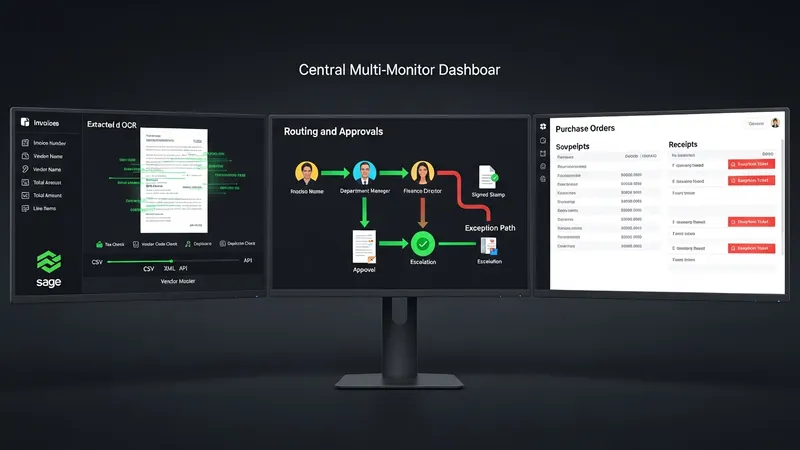
When mapping these categories to an existing Sage deployment, teams may assess connector capabilities such as API availability, file exchange formats, and vendor master synchronization. Capture tools may offer batch processing and vendor-specific templates that reduce manual correction needs. Workflow components often include configurable SLA markers and escalation rules that may be adjusted to align with internal policy. Each category interacts: for example, improved capture accuracy can reduce exception volume and shorten approval cycles.
Typical considerations for workflows include support for multi-entity accounting, currency handling, and multi-language invoices where relevant. Automation solutions may offer role hierarchies to enforce segregation of duties and to support audit requirements. It is common to define measurable targets—such as invoice processing time or percentage of invoices auto-matched—to monitor performance. Continuous monitoring often leads to incremental refinement of rules and routing to better match operational realities.
Security and access control are part of feature planning: solutions usually provide user authentication, permission sets, and activity logs. Backup and retention policies for invoice images and audit records are often set to comply with tax or regulatory retention requirements. During feature selection, teams may prioritize modular components that can be enabled progressively, allowing organizations to scale automation scope while managing implementation risk.
Approval workflows in automated environments are commonly rule-driven and may include conditional steps based on invoice attributes such as amount, vendor, or cost center. Role-based routing assigns approval tasks to specific users or groups, which can reduce ambiguity about responsibility. Workflow features often include delegation, where an approver may temporarily assign tasks, and escalation, where overdue approvals move to alternate approvers. Audit logs capture each action to support traceability and compliance reviews.
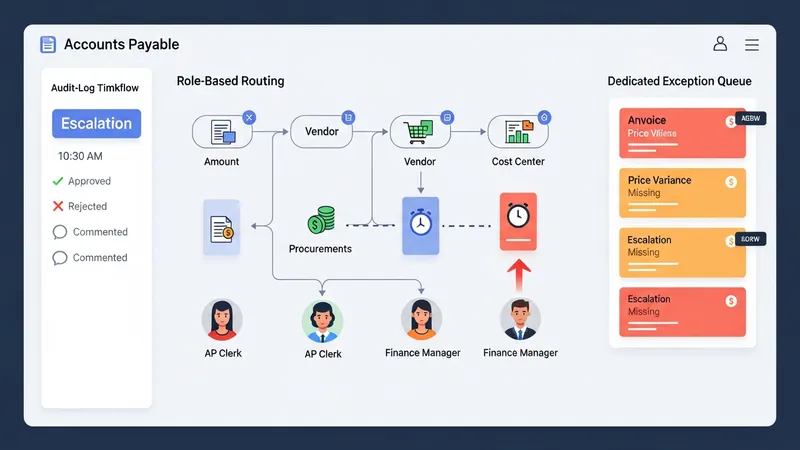
Exception handling addresses invoices that fail validation or matching rules and typically routes these items to a dedicated queue for review. Exceptions may be categorized—such as price variance, missing purchase order, or tax discrepancy—to allow targeted resolution workflows. Some systems present suggested resolutions by referencing related documents or previous decisions, which may accelerate handling. Organizations often monitor exception aging to identify suppliers or processes that contribute to recurring disruptions.
Designing workflows often involves stakeholder mapping so that approvals reflect organizational authority and control points. Segregation of duties is a common requirement: approval authority is separated from payment initiation to reduce risk. Workflow designers may implement approval thresholds that increase oversight for higher-value invoices while keeping lower-value items on streamlined paths. Regular review of workflow performance can identify bottlenecks and inform rule adjustments.
Operational tips often include starting with a limited scope—certain supplier groups or invoice types—to validate workflow logic before wider rollout. Logging and reporting on approval times, rejection reasons, and rework rates provide data for continuous improvement. Training materials that show approvers how to access queues, attach comments, and reassign tasks may reduce user friction and improve cycle times without compromising controls.
Payment processing within an automated accounts payable setup typically supports generation of payment batches, various payment methods, and export of bank-ready files. Payment scheduling rules often consider due dates, cashflow forecasts, and early payment terms. Integration with banking channels may use standard file formats or APIs to transmit payment instructions. Staging areas for payment approval are commonly used to allow finance staff to review and approve payment runs before transmission to the bank.
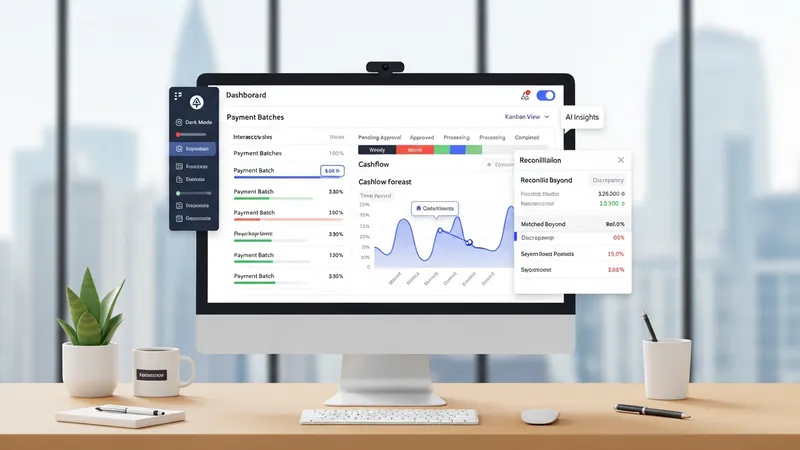
Reconciliation workflows link supplier invoices and payments to bank statements and ledger entries. Automated reconciliation tools may match remittance information to ledger transactions, flagging discrepancies for review. When connected to the general ledger, successful payment runs generate journal entries that reduce accounts payable balances and update cash accounts. Accurate mapping between invoice data and ledger codes is essential to reduce manual rework during month-end close activities.
Interfaces between automation modules and financial systems usually rely on defined field mappings and validation rules. Implementation may require mapping supplier IDs, tax codes, cost centers, and account numbers to ensure consistent posting. API-based integrations can reduce batch processing delays, while file-based exchanges may suit environments with legacy systems. Testing of end-to-end posting helps surface mapping errors and ensures that financial reporting reflects transactional reality.
Operational considerations may include retention of payment audit records, segregation of payment approval duties, and periodic review of payment methods for fraud prevention. Monitoring payment runs and reconciliation exception rates can help identify process weaknesses. Where partial automation is implemented, combining automated payment file generation with manual verification may offer a controlled transitional approach to full integration.
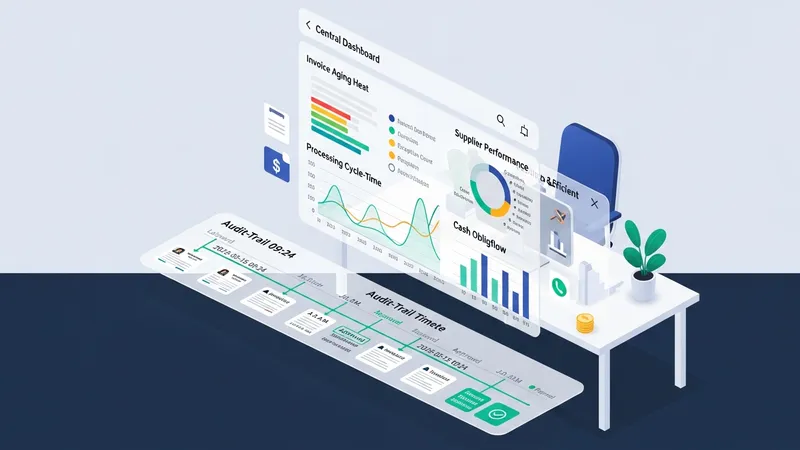
Reporting capabilities in accounts payable automation often include dashboards on invoice aging, processing cycle times, exception counts, cash obligations, and supplier performance metrics. Audit trails record each action on an invoice—from capture to approval to payment—storing timestamps and user identifiers. These records support internal controls and regulatory compliance by creating a searchable history of decisions and adjustments. Reporting configurations may allow export to spreadsheets or visualization tools for deeper analysis.
Compliance considerations include retention of original invoice images, secure storage of financial records, and role-based access to sensitive payment information. Systems may provide configurable retention periods and encryption for data at rest and in transit. Audit functionality often supports review of changes to master data and workflow rules, ensuring authorized change management. Organizations typically align retention and access policies with relevant tax and accounting standards applicable in their jurisdiction.
Implementation commonly proceeds in phases: scoping, pilot deployment for selected supplier segments, iterative rule tuning, and staged roll-out. Early phases often focus on high-volume, low-complexity invoices to validate capture and matching accuracy. Change management items include training for approvers, updates to procurement and supplier onboarding processes, and clear documentation of escalation paths. Measured rollouts may reduce disruption and allow refinement of exception handling practices.
Key metrics to monitor after deployment commonly include percentage of invoices captured automatically, auto-match rates, average approval time, and exception aging. Continuous monitoring supports incremental improvement of parsing rules, workflow logic, and supplier communication. Over time, analytics from these metrics may inform negotiation of payment terms, supplier consolidation efforts, or further process automation initiatives, while maintaining the control and traceability required for financial governance.